The User Problem
Discussion
In my time as a Product Owner for a large-scale SaaS that had hundreds of backlog items, very full sprints and a large team commenting on dozens of stories at a time, it was often a challenge to find the one small tidbit of info that I knew existed. Jira offers several search fields on the screen, it should be easy to find what you need, right?
The problem, of course, is that for no apparent or explained reason, the search fields don't work with the same data and unless you know (and remember) this fact, it's frustrating to find what you are looking for while staying in the flow.
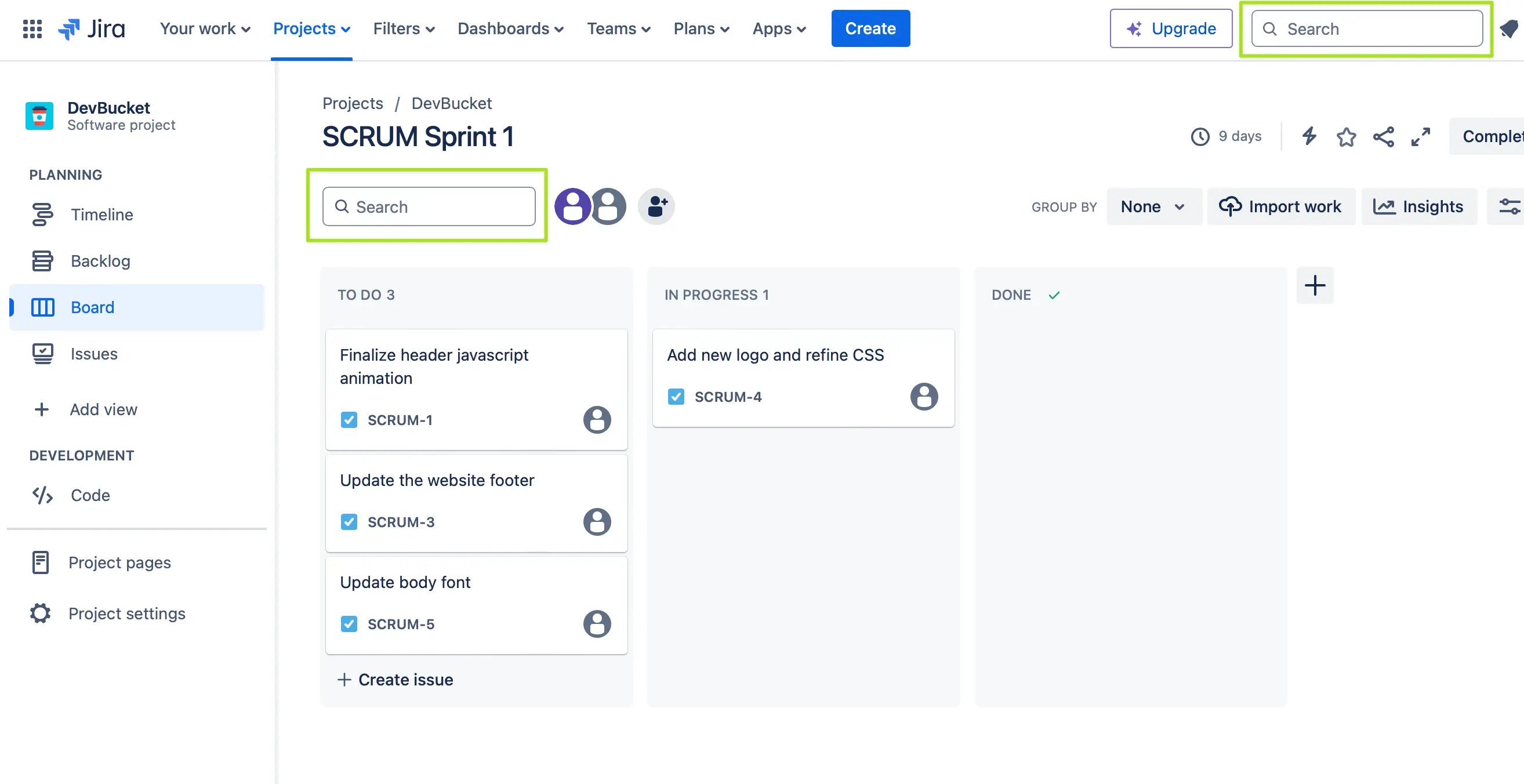
Both the "Board" and "Backlog" views have a nice search field right above the content, seemingly there to....search your data, right? In our example shown here, we have a simple board with a few stories on it. I am certain that one of these stories has something in the description or comment about "Jenna from marketing", but I don't recall which story it was.
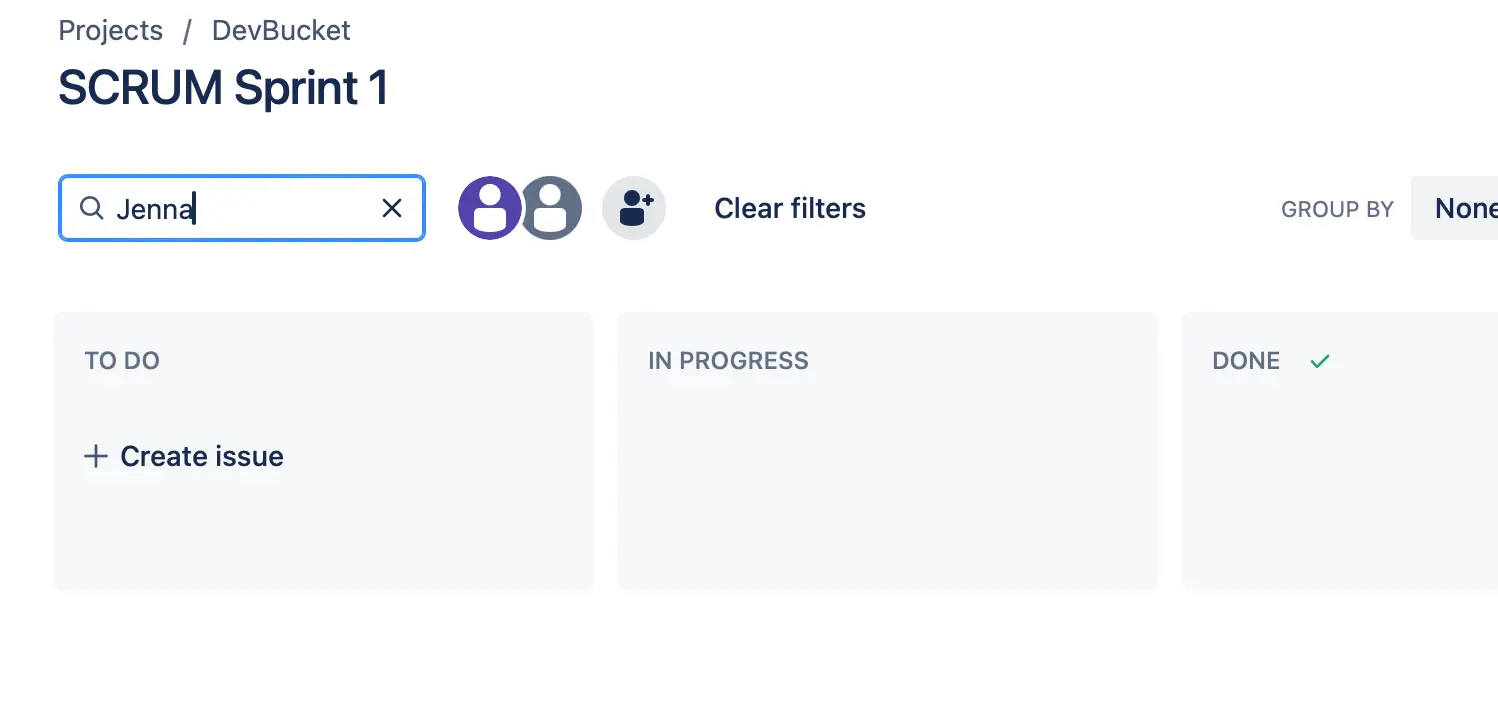
What you need to know, however, is that those conveniently placed fields only search the text that is currently visible on screen. So if you know that you need to find that story that mentions "Jenna" and use those fields, you won't find anything because that word doesn't appear in the on-screen titles.
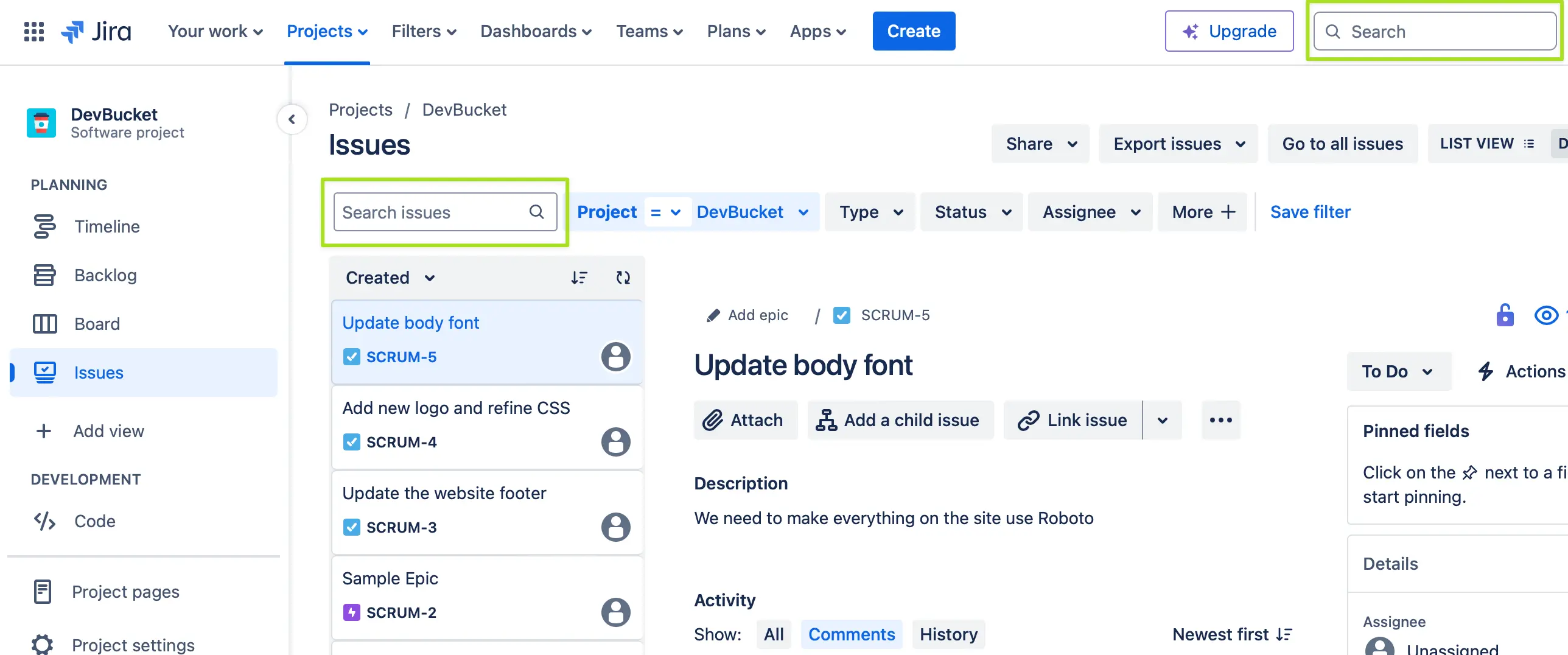
The confusion compounds because on the "Issues" view there is a seemingly identical field placed in the exact same place as the other screens, but THAT one actually searches within the full content of the story and can find the string "Jenna." There is no indication that these behaviors would be different, and as a user I would fully expect these mechanisms, which are in the same place and look the same, to work the same!
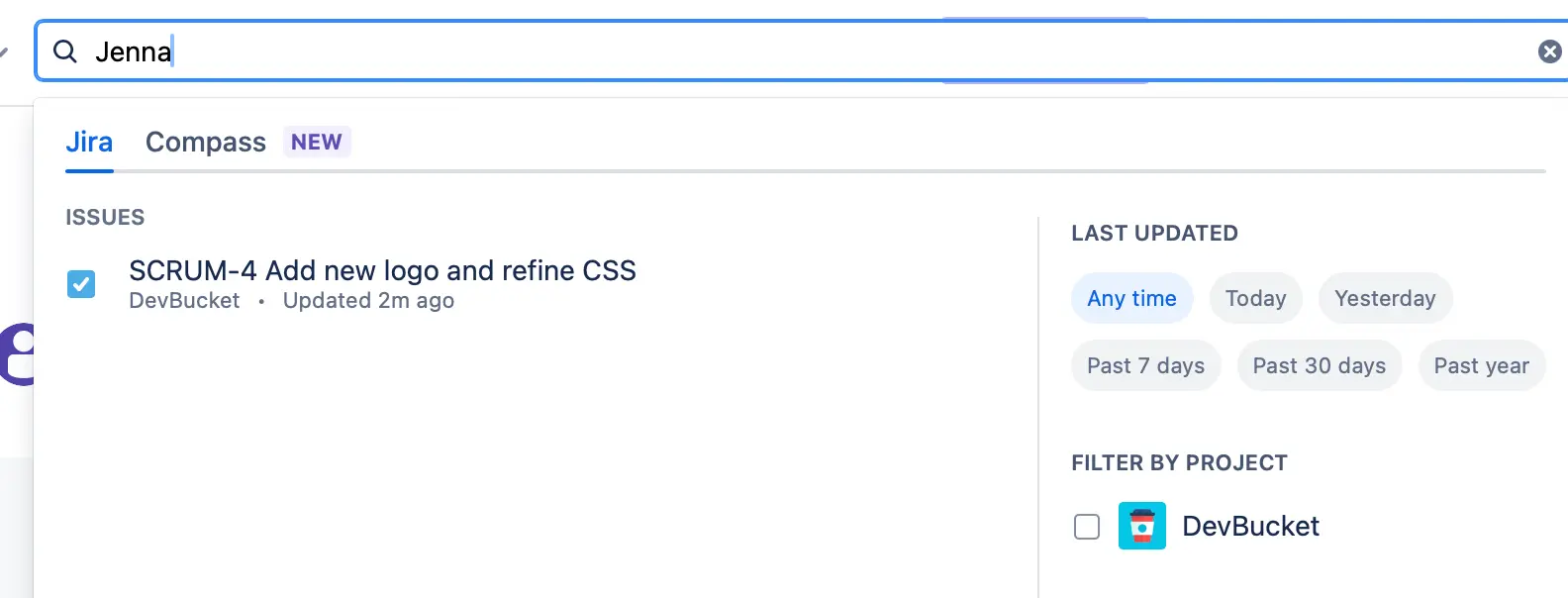
The final search at the top of the page works like the full search on "Issues" and can find anything but why is one search not the same as another?
When presenting nearly identical features to a user, the expectation is naturally going to be that these operate the same and would produce the same results. If there are technical reasons or development challenges that make that not the case, then clearer labeling, different wording or visual style should communicate that elements are not the same.
Proposed Solution